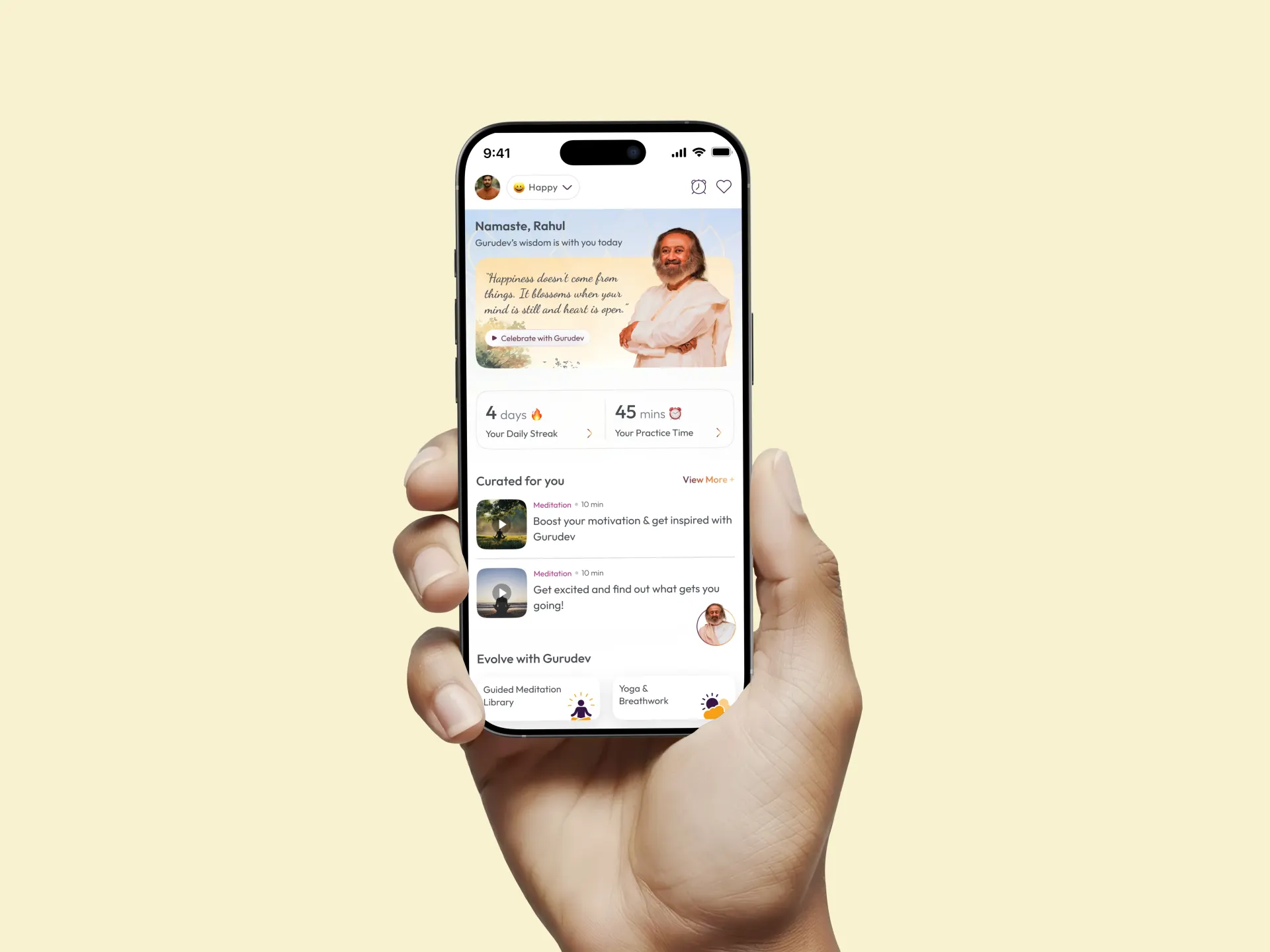
screenshot-of-artofliving-mobile-homepage

Art of Living Meditation App Journey

A complete redesign of AOL’s meditation app for all age groups

Project Overview

AOL is a meditation and breathing app that needed a fresh start. The original product was cluttered, confusing, and visually outdated. The client wanted a minimal, easy-to-use experience that would appeal to both new users and regular practitioners.

Industry

Health

[My Role]

UI/UX Designer

[Platforms]

Android and iOS

Problem Statement

The old app made simple tasks feel difficult. Users couldn’t find sessions easily, and the interface lacked hierarchy. Older users struggled with readability and navigation. The design didn’t support a peaceful or guided meditation experience. The client needed a cleaner structure and a visual style that matched the purpose of the app.

Goals
  • Build a clean and simple interface

  • Reduce steps needed to start meditation

  • Improve navigation and overall clarity

  • Make the app accessible for all age groups

  • Create a scalable base for more meditation categories

Process
1. Competitor Analysis

As a team, we reviewed apps like Sattva, Calm, and Headspace. We identified common patterns, visual cues, and areas where the existing app needed improvement.

1. Competitor Analysis

As a team, we reviewed apps like Sattva, Calm, and Headspace. We identified common patterns, visual cues, and areas where the existing app needed improvement.

1. Competitor Analysis

As a team, we reviewed apps like Sattva, Calm, and Headspace. We identified common patterns, visual cues, and areas where the existing app needed improvement.

2. User Personas

We created personas for beginner users and regular meditators. This helped align the design structure to real user needs.


2. User Personas

We created personas for beginner users and regular meditators. This helped align the design structure to real user needs.


2. User Personas

We created personas for beginner users and regular meditators. This helped align the design structure to real user needs.


3. User Flows

The team simplified the paths for meditation, breathing, and progress tracking.
Goal: reduce friction and help users start sessions quickly.

3. User Flows

The team simplified the paths for meditation, breathing, and progress tracking.
Goal: reduce friction and help users start sessions quickly.

3. User Flows

The team simplified the paths for meditation, breathing, and progress tracking.
Goal: reduce friction and help users start sessions quickly.

5. Mood Boards & Visual Direction

We explored themes around calmness and focus. Soft colors, gentle gradients, and simple typography became the base for the UI.

5. Mood Boards & Visual Direction

We explored themes around calmness and focus. Soft colors, gentle gradients, and simple typography became the base for the UI.

5. Mood Boards & Visual Direction

We explored themes around calmness and focus. Soft colors, gentle gradients, and simple typography became the base for the UI.

4. Wireframes

We sketched low-fidelity layouts to define hierarchy and flow. These wireframes helped us agree on what to keep, remove, or simplify.

4. Wireframes

We sketched low-fidelity layouts to define hierarchy and flow. These wireframes helped us agree on what to keep, remove, or simplify.

4. Wireframes

We sketched low-fidelity layouts to define hierarchy and flow. These wireframes helped us agree on what to keep, remove, or simplify.

6. UI Design

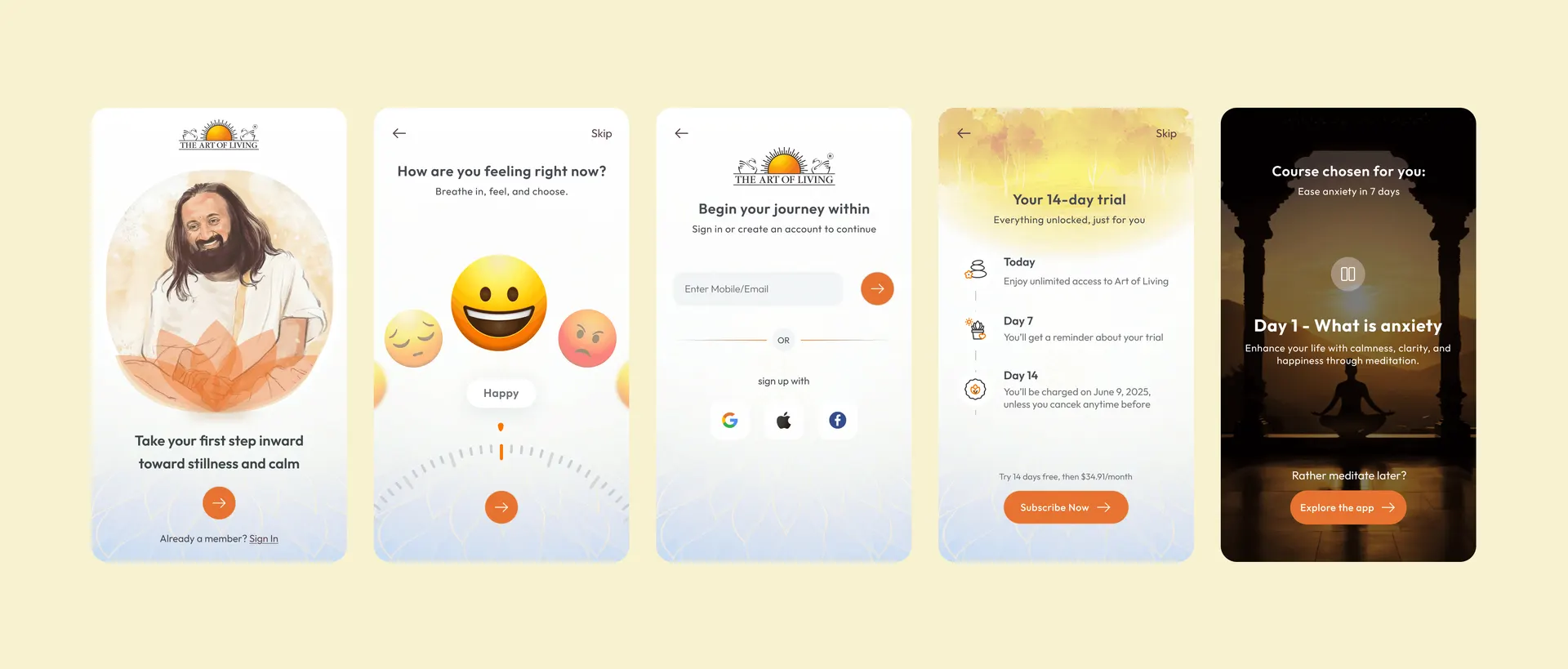
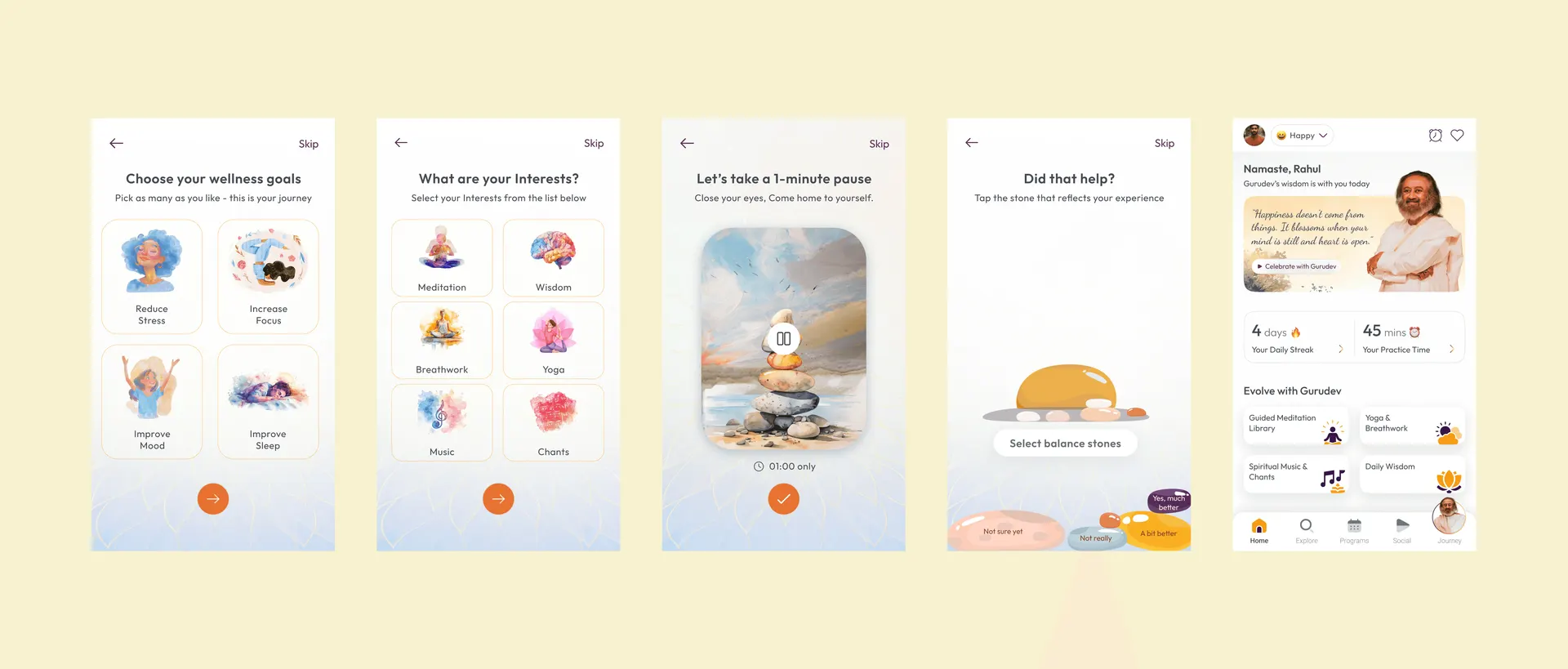
The final UI was a result of shared feedback and iteration. Key elements included: Clean layouts, Simple navigation, Soft animations, Larger tap areas, Accessible typography

6. UI Design

The final UI was a result of shared feedback and iteration. Key elements included: Clean layouts, Simple navigation, Soft animations, Larger tap areas, Accessible typography

6. UI Design

The final UI was a result of shared feedback and iteration. Key elements included: Clean layouts, Simple navigation, Soft animations, Larger tap areas, Accessible typography

Key Screens
screenshot-of-onboarding-art-of-living-mobile-screens
screenshot-of-onboarding-art-of-living-mobile-screens-02
Outcome / Impact
  • The app became easier to use for all age groups

  • Navigation improved through clear grouping and simpler flows

  • Visual design became calmer and more aligned with meditation

  • The structure now supports new categories and future features

  • The team delivered a scalable design system for development

Select this text to see the highlight effect