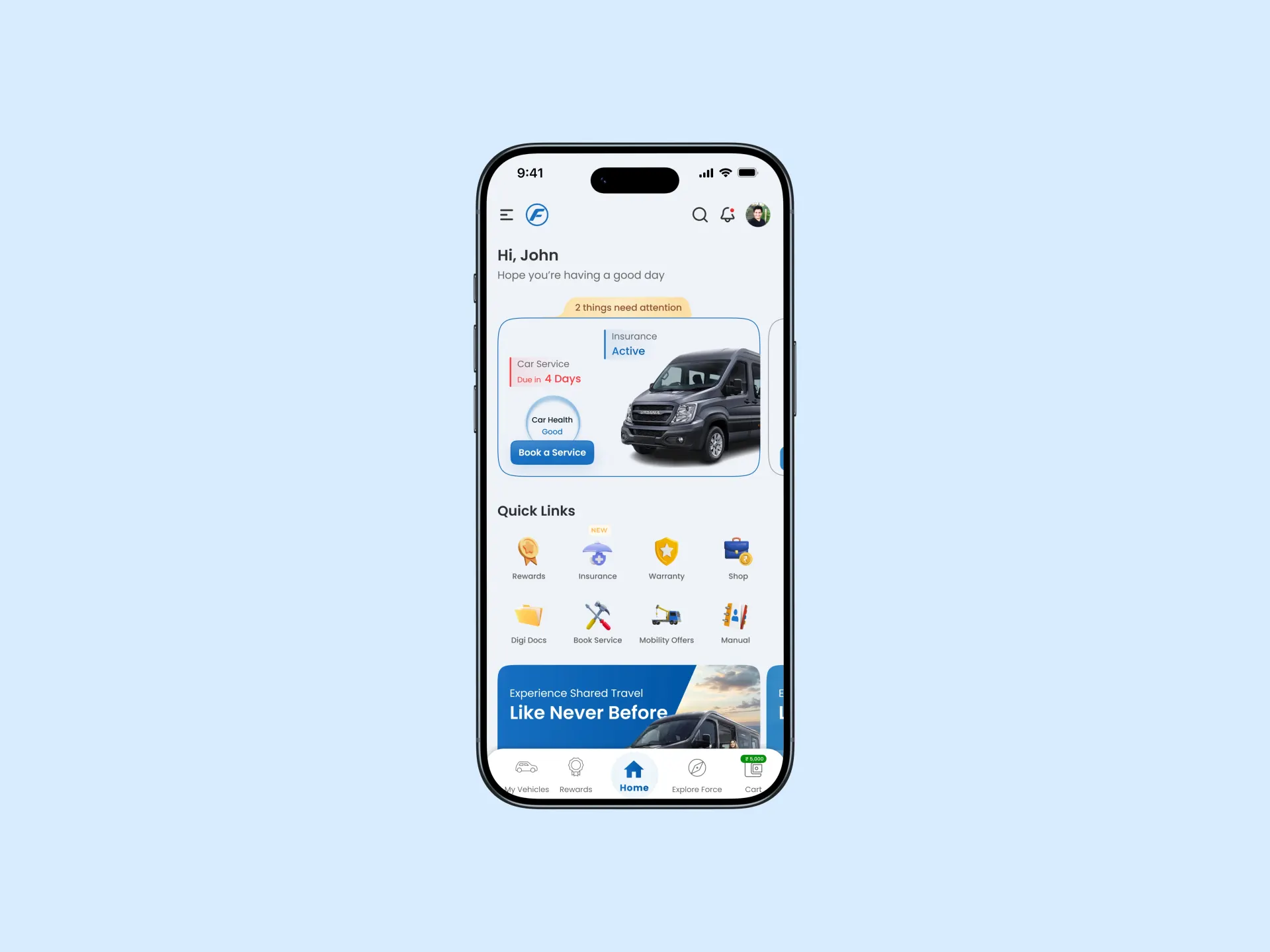
screenshot-of-dashboard-force-motor-mobile-screen

Force Motors – Vehicle Management App

Boosting Conversion Rates for E-commerce Checkout

Project Overview

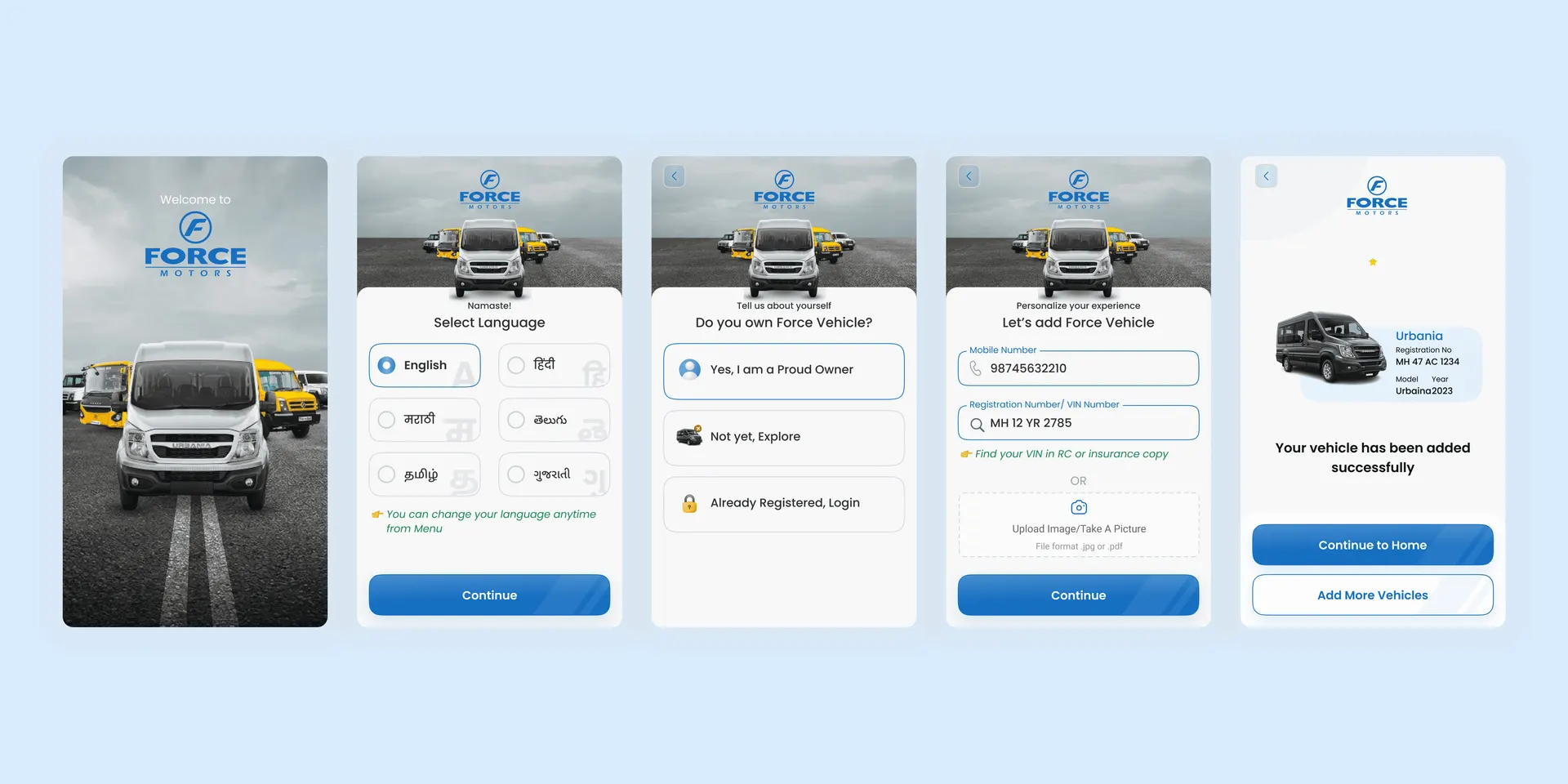
Force Motors needed a mobile app where users could add their vehicles and manage all ownership-related tasks from one dashboard. The goal was to create a simple and reliable experience that helps users stay updated about their insurance, warranty, service reminders, and benefits. Our team designed and built the complete application from scratch.

Industry

Travel

[My Role]

UI/UX Designer

[Platforms]

Desktop and Android

Problem Statement

Vehicle owners had no single place to track important information like insurance expiry, service history, and warranty details. Many users relied on manual reminders, resulting in missed services and poor upkeep. Force Motors needed a clean and structured mobile app that simplified ownership and reduced user effort.

Goals

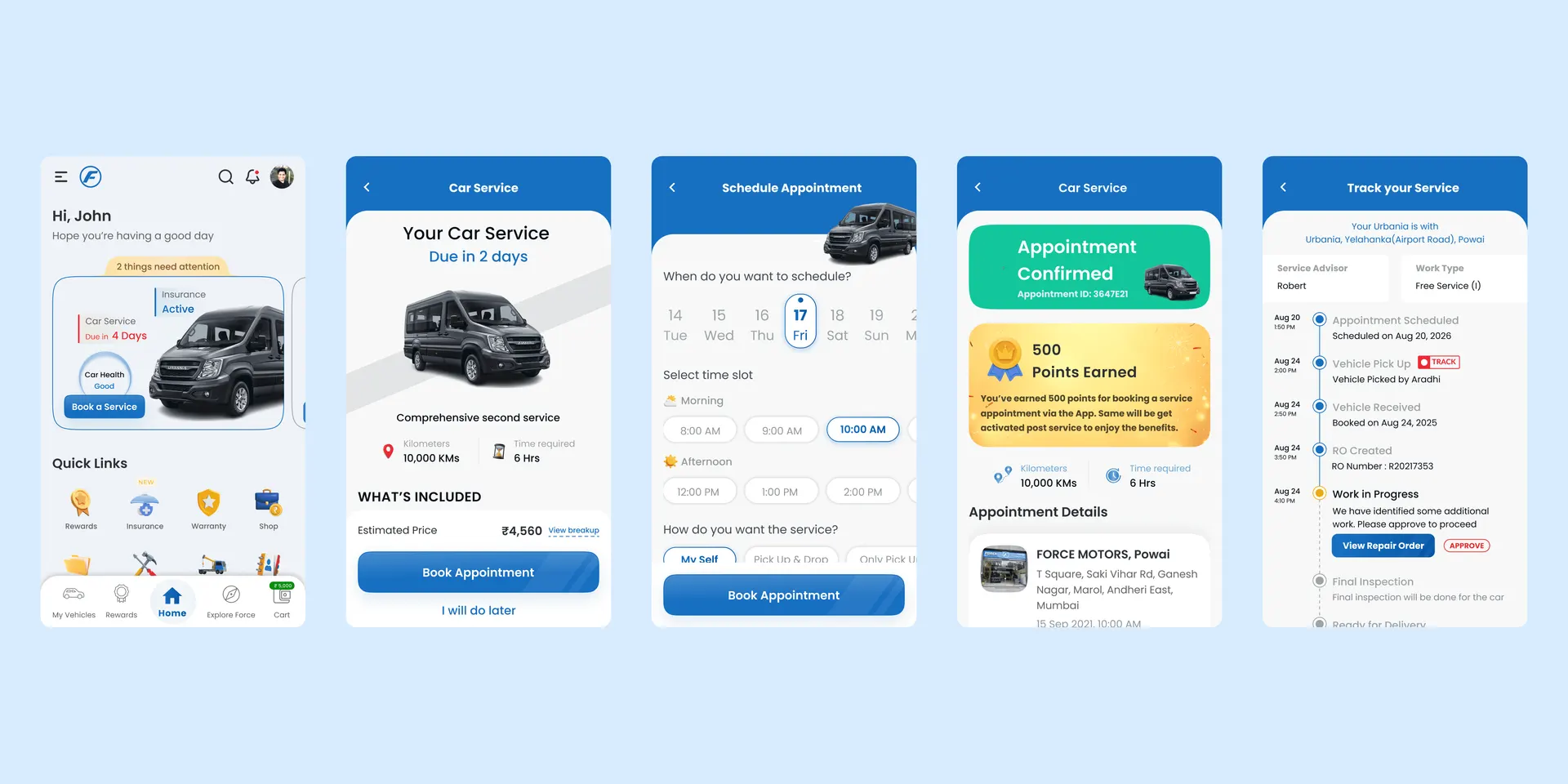
Create a clear dashboard for all vehicle-related information

  • Make service booking simple and fast

  • Help users track insurance and warranty without confusion

  • Offer value through reward points

  • Build a scalable structure for future features

Process
1. Research

We studied existing automotive apps and spoke with service teams to understand user needs. This helped us define essential features and find opportunities to simplify the experience.


1. Research

We studied existing automotive apps and spoke with service teams to understand user needs. This helped us define essential features and find opportunities to simplify the experience.


1. Research

We studied existing automotive apps and spoke with service teams to understand user needs. This helped us define essential features and find opportunities to simplify the experience.


2. Information Architecture

The team mapped all required features and grouped them into logical modules: dashboard, vehicle details, insurance, warranty, service booking, and rewards.

2. Information Architecture

The team mapped all required features and grouped them into logical modules: dashboard, vehicle details, insurance, warranty, service booking, and rewards.

2. Information Architecture

The team mapped all required features and grouped them into logical modules: dashboard, vehicle details, insurance, warranty, service booking, and rewards.

3. User Flows

We created simple flows for the main tasks: adding a vehicle, checking information, booking a service, and managing appointments. The goal was to reduce steps and make every action clear.

3. User Flows

We created simple flows for the main tasks: adding a vehicle, checking information, booking a service, and managing appointments. The goal was to reduce steps and make every action clear.

3. User Flows

We created simple flows for the main tasks: adding a vehicle, checking information, booking a service, and managing appointments. The goal was to reduce steps and make every action clear.

5. UI Design

The final UI followed Force Motors’ brand guidelines. The layout was clean, icons were simple, and typography was easy to read. We focused on clarity and reducing cognitive load.


5. UI Design

The final UI followed Force Motors’ brand guidelines. The layout was clean, icons were simple, and typography was easy to read. We focused on clarity and reducing cognitive load.


5. UI Design

The final UI followed Force Motors’ brand guidelines. The layout was clean, icons were simple, and typography was easy to read. We focused on clarity and reducing cognitive load.


4. Wireframes

We sketched low-fidelity layouts to explore navigation, spacing, and hierarchy. This step helped us finalize how content should appear before moving into visuals.

4. Wireframes

We sketched low-fidelity layouts to explore navigation, spacing, and hierarchy. This step helped us finalize how content should appear before moving into visuals.

4. Wireframes

We sketched low-fidelity layouts to explore navigation, spacing, and hierarchy. This step helped us finalize how content should appear before moving into visuals.

6. Handoff & Collaboration

We prepared design specifications, components, and interaction notes for the development team. Regular reviews ensured the final build matched the intended experience.

6. Handoff & Collaboration

We prepared design specifications, components, and interaction notes for the development team. Regular reviews ensured the final build matched the intended experience.

6. Handoff & Collaboration

We prepared design specifications, components, and interaction notes for the development team. Regular reviews ensured the final build matched the intended experience.

Key Screens
screenshot-of-onboarding-forcemotors
screenshot-of-some-keyscreens-forcemotors
Outcome / Impact

Vehicle owners gained a single app for all important information

  • Service booking and reminders became easier to manage

  • Calls to service centers reduced due to self-service features

  • Clear structure supports future updates like notifications and offers

Select this text to see the highlight effect